Features How It Works FAQ ↓ Download for Windows
v1.0.91 — Windows x64

TapTools,
Now on Your Desktop.

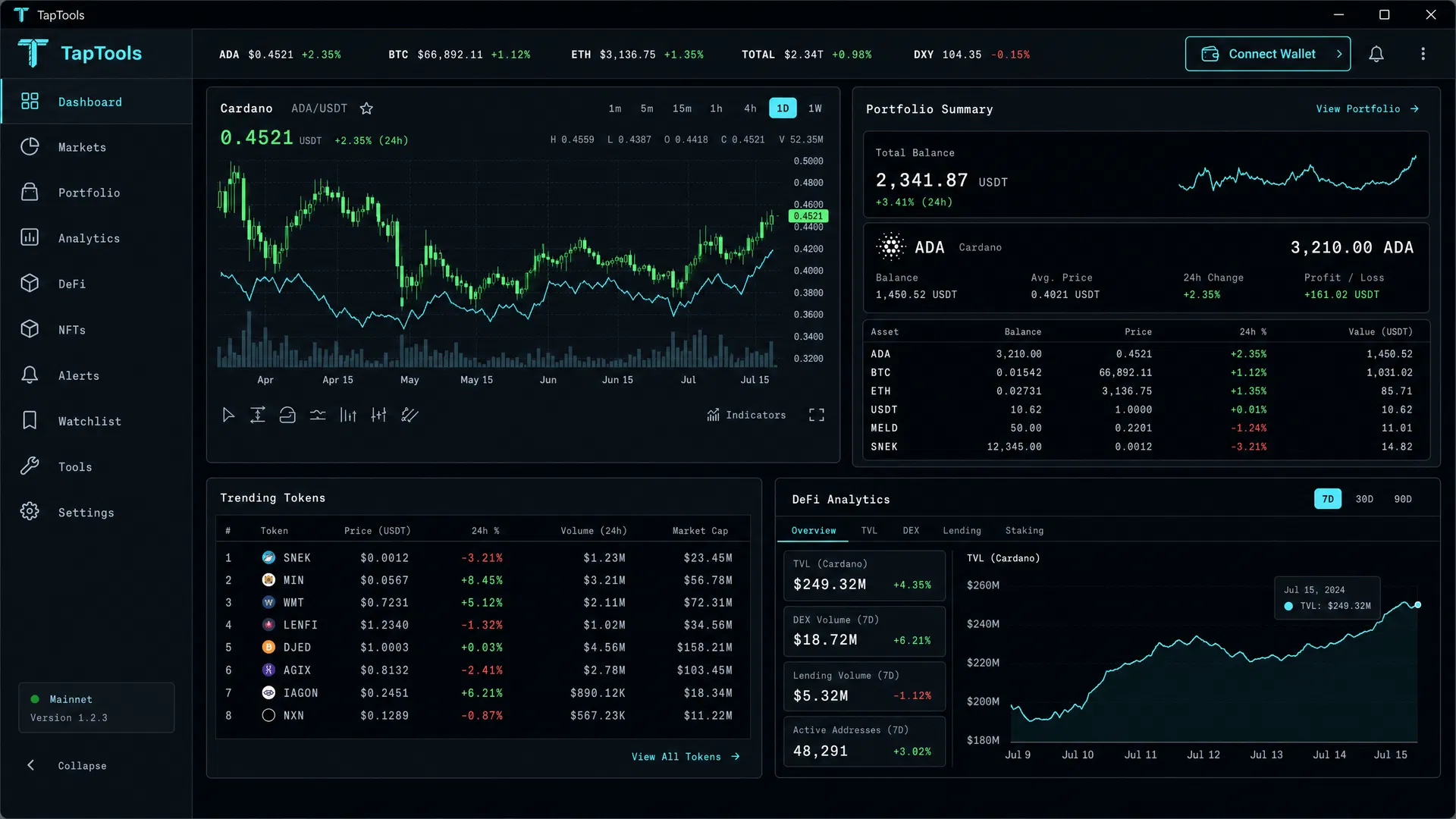
The full Cardano analytics experience — live charts, portfolio tracking, DeFi insights, NFT data, and wallet monitoring — running natively on Windows. No browser required. Always available.

🪟 Windows 10 / 11 ⚡ Free to Download 🔒 No Account Required
TapTools Desktop App
Live Charts
Portfolio Sync
DeFi Analytics
Offline Ready
ADA/USDT +2.35% Token Charts Portfolio Tracking DeFi Analytics NFT Data Wallet Monitoring Swap History Price Alerts Cardano Ecosystem Live Order Book Trending Tokens Market Cap Rankings ADA/USDT +2.35% Token Charts Portfolio Tracking DeFi Analytics NFT Data Wallet Monitoring Swap History Price Alerts Cardano Ecosystem Live Order Book Trending Tokens Market Cap Rankings
Everything You Need

The Full TapTools Suite,
Built for Your Desktop

Every feature from the web platform — now in a dedicated native app that starts faster, runs smoother, and never competes for browser memory.

📈
Real-Time Charts

Full candlestick and line charts for every Cardano token pair. Customizable timeframes from 1 minute to monthly views with technical indicators.

🖥️
Native Desktop Experience

No browser tabs, no extensions. A dedicated window that starts faster, runs smoother, and keeps your Cardano data front and center.

💼
Portfolio Tracking

Connect your Cardano wallet to see your full portfolio value, individual token balances, P&L history, and 24h change — all in one place.

🔗
DeFi & NFT Analytics

Deep-dive into Cardano DeFi protocols, TVL data, DEX volumes, lending markets, and NFT collection floor prices and trading activity.

🔄
Swap & Trade History

Full on-chain swap history, trade analytics, and token discovery tools. Find new opportunities and track your trading performance over time.

🔔
Price Alerts

Set custom price alerts for any Cardano token. Get notified directly in the desktop app when your targets are hit — no browser tab needed.
4+
Years of Cardano Data
1M+
Users Served
100+
Token Pairs Tracked
v1.0.91
Latest Desktop Release
Simple Setup

Up and Running
in Four Steps

01
Download the Installer

Click the download button to get the Windows x64 installer (EXE). The file is signed for safe installation.

02
Run & Install

Open the downloaded EXE and follow the installation wizard. TapTools Desktop installs in under a minute.

03
Launch & Connect

Open TapTools Desktop from your Start Menu or desktop shortcut. Optionally connect your Cardano wallet.

04
Trade Smarter

Access real-time charts, trending tokens, DeFi data, and your full portfolio — always one click away.

↓ Download TapTools Desktop

Windows 10 / 11  ·  x64  ·  v1.0.91

Common Questions

Frequently Asked
Questions

Yes. TapTools Desktop is completely free to download and install. The same features available on the web platform are accessible in the desktop app.

TapTools Desktop supports Windows 10 and Windows 11 (64-bit). The installer is a standard Windows EXE.

No account is required to use the core analytics features. Connecting a Cardano wallet is optional and unlocks portfolio tracking.

The desktop app starts instantly, uses less memory than a browser tab, stays open in your taskbar, and delivers the full TapTools experience without competing for browser resources.

Yes. TapTools Desktop is actively maintained. Updates are released via GitHub and the app will notify you when a new version is available.

TapTools Desktop only reads public on-chain data associated with your wallet address. No private keys or seed phrases are ever requested or stored.

Keep Your Cardano Edge.

TapTools Desktop ensures you always have access to the analytics tools you rely on — independent of browser support, tab limits, or platform changes.

↓ Download for Windows — Free

v1.0.91  ·  Windows 10 / 11 x64  ·  No account required